Wednesday, July 12, 2017

FocusOn Learning 2017 Top 3 Takeaways


IMG_1875.JPG
Attending my first eLearning Guild FocusOn Learn Conference highlighting mobile, games, and video was fulfilling. I look forward to implementing and sharing the many new skills I have learned.

Ma ka hana ka ʻike.
In working one learns. [#2088]

The ʻōlelo noʻeau above describes my experience. One key quote that stuck with me from a session was to budget in "5+ minutes of playtime daily." [Take away #1] In order to stay innovative and engaged, we need to cognizantly build in playtime, especially when we have such busy lives. Since returning home, although I have not been able to integrate daily play time, I have increased my time to explore new apps or ideas that come up. I explored the Word Swag app an tweeted for my first play time since the conference ended.


My take away #2 was not something new, but a good reminder that the field of instructional design continues to evolve. Although mobile, games, video, virtual reality (VR) are key trends at the moment, it truly comes down to quality instructional design strategies and strategically mixing the use of apps and software to achieve your end product, a quality learning experience for your users.

Throughout the conference, I especially enjoyed the BYOL (Bring Your Own Laptop) sessions, in which I could explore and try new skills. The power of Articulate 360 and other tools such as Animoto, Go Animate, etc. to develop for multiple mobile device formats has truly allowed instructional designers to focus more on designing the learning experience vs. the technical aspects of coding and programming animations [Take away #3]. Reference my conference notes for screen shots and technical tips.
Image result for articulate 360

Lastly, of course I can't miss posting the new apps I've integrated since learning about them at the conference.

  • 53 (sketch & notes app)
  • Word Swag (text on image professional look in seconds)
  • Top Hat (create interactive lecture experience)
  • Adobe Capture (turns photos into production ready assets using mobile camera)
  • Office Lens (automatically modifies photos taken from an angle)
  • Bubb.li (create photos and stitch together to create VR hotspots & links)

Monday, October 19, 2015

2015 DevLearn 2015 Top 3 Highlights


I thoroughly enjoyed attending DevLearn 2015, a conference specifically focused on educational technology. I have never seen so many instructional designers gathered together at one particular conference. It was great to be able to network and hear about the work others did in the same field. Reflecting on the conference notes, my three main take-aways and items I plan to focus on implementing include:

Agile Project Management: This full day workshop covered the basics of agile project management to practical application examples that could be applied to any eLearning project. I plan to:
  1. Share agile project management concepts with my team, in particular this infographic:
    Slide60.JPG
    “Agile is as much an attitude as it is a project management method.”
  2. Discuss collaboratively to determine what would further enhance and streamline our DL development process; In the discussions, I also plan to incorporate discussions related to Carnegie's Plan Do Study Act (PDSA) cycle, profiling personas, etc.
  3. Document new DL development processes
  4. Implement, pilot & form new norms for development of online resources

IMG_5767.JPG


Games, Badges & Tools to Support Learning: These topics seemed to be trending topics at the conference. Many presenters shared gaming concepts and how the application of these concepts could enhance learning. I enjoyed my session where various tools to support learning were shared, from games to iBeacons (devices where you receive extra information if you’re in physical proximity to something). I plan to:
  1. Play the Knack game that was suggested to assist with profiling, etc.
  2. Determine whether or not specific tools to support learning would work well for our team

Innovation: All conference keynotes touched upon the need for innovation within our field (e.g. looking at dots that others don't see) and learning to fail and keep pushing ourselves to innovate. At the conference, I bought a set of story cubes for myself as I thought it was a great introductory activity when brainstorming or building pilina.
  1. The two keynotes mentioned the Importance of storytelling (mo`olelo). I saw a lot of tie into to connections of culture & the importance of using stories to not only look into our past, but also looking ahead of what future stories we might want to tell others (innovations).
  2. I plan to integrate the use of story cubes into an upcoming team activity to increase building pilina as well as encouraging moʻolelo and inspirations for future innovations.

Bonus: The very last session I attended at DevLearn is something I hope to be able to find some time to dive into practicing, advanced animations using PowerPoint. Here is a sample of what can be done with PPT animations. I hope to:
  1. Increase my PPT technical & ID skills (play around)
  2. Determine what to pilot PPT with.
  3. Pilot & continue increasing skills.

Thursday, November 6, 2014

2014 Hawaiʻi Education Leadership Summit Top 3 Highlights

Attending my first Hawaiʻi Education Leadership Summit was an engaging and meaningful experience for me. Having time with my leadership team to discuss tactical next steps to move distance learning forward at Kamehameha Schools (KS) was productive. Here are my top 3 highlights:

  1. Agreeing on desired outcomes and next steps for distance learning at KS.
    Commitment to...publicly showcasing KS distance learners' work (hō`ike + pilina + `ike) [showcasing authentic learning + building relationships + share & continually seek knowledge]. 
  2. Reflecting on where we are in distance learning, but also KS as an organization based upon Steven Edwards' suggested educational models. These models affirmed that we're headed in the right direction.

  3. Quotes that struck a chord for me.
    • "Move at the pace of the fastest." Steven Edwards
    • "To do disruptive innovation, you have to be willing to be misunderstood for a very long time." Jeff Bezos, Amazon.com: Innovation, Turning ON innovation in your culture, teams & organizations, Terry Jones 2012
My next steps:
Just do it...I look forward to implementing our agreed upon committment from our time together.


Friday, August 16, 2013

Kamehameha Schools (KS) Teacher Leadership Academy 2013 Top 3 Highlights

Participating in the inaugural KS Teacher Leadership Academy with our facilitator Joeleen Killion and numerous KS teacher leaders was a great experience for me this past July.  My top 3 highlights for our three days together included:


  1. Teacher leader roles and attributes are numerous, yet essential.  
    1. Roles range from data coach, classroom supporter, school leader, resource provider, mentor, learning facilitator, instructional specialist, curriculum specialist, catalyst for change, and continuous learner.  
    • Attributes of teacher leaders: their knowledge to understand information, theories & research; beliefs about the value of specific information and/or strategies; skills they possess to apply their knowledge; aspirations and desire to engage in a particular practices; and behaviors to consistently apply knowledge and skills.
    • We summed up our thoughts of a teacher leader through a visual reflection image (posted here).
  2. Teacher leader standards provide a framework for meaningful discussions on the knowledge, skills, and competencies expected of teacher leaders.
    • Domain I: Fostering a collaborative culture to support educator development and student learning
    • Domain II: Accessing and using research to improve practice and student learning
    • Domain III: Promoting professional learning for continuous improvement
    • Domain IV: Facilitating improvements in instruction and student learning
    • Domain V: Promoting the use of assessments and data for school and district improvement
    • Domain VI: Improving outreach and collaboration with families and community
    • Domain VII: Advocating for student learning and the profession
  3. Facilitation and communication strategies for teacher leaders are tools that will assist a teacher leader.  I've listed several examples utilized below.
    • Our facilitator, Joellen, modeled various facilitation strategies well.  I particularly liked her learning buddies clock strategy in which she had us identify 12 individuals in the room we don't usually work with and paired us up to complete various activities throughout the 3 days.  Good strategy to mix individuals throughout the event.
    • We also reflected consistently using images and/or several key words to capture our thoughts. We then paired up with a buddy to combine our words into a "phrase."
    • During an activity in which we watched a model school staff meeting with teacher leaders video, each table was asked to focus on a specific topic to report out on.  This strategy sustained a large group of individuals' attention, but also placed responsibility (kuleana) on each group to process and share out allowing everyone to easily reflect on concepts afterwards. 
How will I apply what I have learned?
  1. We completed a 30 & 60 day plan, in which I plan to discuss and integrate teacher leader roles with my team and various project teams I participate in.  
  2. I also plan to self-reflect as a teacher leader and how I can continue to improve in my current role at KS, including applying facilitation strategies modeled by Joellen.
  3. To date, I have already worked with Claire to integrate teacher leader roles into the Charter Schools blended and online support project we're kick starting as well as had discussion with our Tri-Campus blended ad online project team discussions as we discuss next steps on how we could better support teacher leaders at KS interested in blended and online learning.

Monday, August 12, 2013

International Society for Technology for Education (ISTE) 2013 Conference Top 3 Highlights

What a blessing it was to have the opportunity to attend the ISTE June 2013 conference in Texas, San Antonio alongside 20,000+ attendees.  This was by far the largest conference I have attended to date. Imagine having to stand in Disneyland-type lines to enter the keynote presentation hall that could accommodate thousands and thousands of people.  Not having attended an ISTE conference since 2005, it was such a refreshing, inspirational, reflective, and enjoyable experience for me.

My top 3 highlights of the conference included:


  1. Adam Bellow's closing keynote titled "You're Invited to Change the World" (begins approximately at 23 minutes): His keynote was my favorite at the conference.  Not only were his slide deck an exemplar model of instructional design practices, his method of delivery appealed to diverse learning styles and inspired all types of audiences to change the world through educational technology. I especially enjoyed how he started his keynote with his experience at ISTE through his Google Glass and his sharing of numerous relevant personal stories throughout his keynote that showcased innovative and practical application of educating today's learners.  This archived keynote is definitely worth your time.
  2. Game-Based Learning: I attended many sessions surrounding the topic of game-based learning trying to wrap my head around what the most current trends are along with samples within a K-12 environment.  Minecraft and Angry Birds seemed to be fairly popular games in secondary education. One of Harvard's grant custom created virtual environments for middle school students revolving around ecosystems was an interesting project, http://ecomuve.gse.harvard.edu/. Another session provided this game analysis checklist resource by Andrew Miller, which I felt was a helpful guide for those diving into creating game-based learning.  
  3. Mobile Learning & Augmenting in the Classroom: QR codes were everywhere, especially as you visited the poster sessions.  As I sat in various mobile learning sessions, there were many ideas and working samples provided by presenters (various uses of QR code activities in the classroom, creating vocabulary word walls for various topics, student presentation visuals created and placed around the room with embedded videos that students could provide peer to peer feedback, creating museum and other living history tours, interactive yearbook with interviews, etc.).  These ideas inspired me to create an activity for our team upon my return from the conference so I  could inspire them to integrate meaningful experiences for our blended and online learners.  Aurasma seemed to be the most popular app of choice at the moment followed by QR code readers.


How will I apply what I have learned?
There were so many ideas spinning in my head, even 2 months after attending the conference.  After reviewing all my session notes and various archived session recordings, I zoned in on the following next steps to implement what I have learned through this valuable professional development experience.

  1. Mobile learning - During development of new projects by our team, I will be encouraging everyone to keep mobile learning at the forefront of their minds, not only simply providing mobile accessibility to the cultural content we develop, but also brainstorming meaningful instructional strategies in which we could implement relevant and impactful experiences for our Hawaiian learners.
  2. Augmented learning - I will develop a culture-based augmented learning activity to integrate into our team meeting that will both model and encourage them to think of innovative solutions to engage our online learners.
  3. Game-based learning - I will be sharing what I have learned related to game-based learning and brainstorm how beneficial this could be if/when integrated strategicallinto our online programs and support services projects.  One of our Tri-Campus teachers indicated interest in moving in this area and I look forward to supporting that.
  4. I will continue to keep student learning outcomes and experiences as the forefront driver of the projects we work on, especially with so many new technologies emerging in the educational technology market...testing a wide range of technologies, but only selecting those that will integrate seamlessly and truly enhance student learning in blended and online environments.

Friday, June 15, 2012

Punahou Brain Symposium - June 2012

The theme for the Punahou Brain Symposium 2012 Conference...create a bridge between brain science and the classroom intrigured me.  I've always been interested in brain development and how it relates to education.  Overall, I enjoyed these past two days of neuroscience research immersion with the focus on how we could apply it to education and learning. 
  1. Brain Rules key note session - Dr. John Medina (Part 1)
    • Language verbal acqusition rates are highest between the ages of 6 months to 5 years old (research by Patricia Kuhl) and the American education system teaches foreign language in middle and high school = learning gap.
    • "We are natural explorers...The human brain is designed to solve problems related to surviving in natural settings during unstable outdoor environments in constant motion."  How does that relate to how we design an learning environment?   
    • Cognitive functions increase with long term aerobic exercise (minimum 3 years) - 150 minutes of moderate activity over a 7 day period. - Aerobic workout changes the brain chemistry.  Why would we cut out P.E. in education?
    • Would exercising twice a day with students in gym clothes create smater, more productive students? 
    • How do you push information from declarative --> immediate --> working memory --> long term memory?  "90% is gone if you don't repeat the information within the first 60-90 minutes"  How would we structure school? 
    • "It takes 10 years for the brain to consolidate information...We should give kids immune booster shots in learning, giving them the information repetitively." 
    • My reflective thoughts: For online learning, I wonder what type of activities could be seamlessly incorporated into the curriculum to encourage aerobic exercise to increase cognitive function?  To increase repetitive information scaffolded throughout multiple curriculum?
  2. From Cradle to Graduation: Movement Makes Body/Mind Connections for Optimal Learning - Dr. Paul Zientarski 
    • Direct correlation between physical fitness and academic scores (studies in CA, TX).
    • "Consistent exercise, and certain typse of specific exercises, can both temporarily and permanently affect the way your brain is able to focus, its ability to deal with stress and anxiety, and its ability to learn..." - Dr. John Ratey, Harvard Brain Researcher
    • Brain Delivered Neurotrophic Faceotr (BDNF) - regardless of age, aerobic workout generates new brain cells.  Brain cells need to be stressed (new learning) to increase problem solving.  High sugar, high fat diet significantly decreases BDNF.
    • Google will not hold a meeting longer than 20 minutes. 
    • Neuroscientists believe students learn 10% more when they are standing as opposed to sitting.
    • Brain breaks: David Sladkey, Scott Miller
    • My reflective thoughts: I enjoyed the "brain break" activities.  I think it would be a good idea for me to incorporate these types of activities into our team meetings, which normally lasts longer than 20 minutes. 
  3. Brain Rules keynote session - Dr. John Media (Part 2)
    • "People don't pay attention (arousal states) to boring things."
    • Only 4 years ago, we knew why we need to sleep (not for energy restoration).  Time of day and quality of sleep impact the "whole brain" attentional state.
    • During the "nap zone," (1:30 - 3:30 p.m.) you have decreased attentional state, memory and ability to problem solve.  Simply nap for 26 minutes that time to re-energize. 
    • "What other management strategy will improve people's performance in just 26 minutes?" - Mark Rosekind.
    • People have genetic sleep patterns (late or early productivity).  Could we have schools open 24 hours?
    • Mike Posner: study indicating that the brain cannot multitask.
    • It will take twice as long to complete tasks if you multitask(brain interruptions) with 50% more errors.
    • Neuroplasticity: every brain is wired differently and we all learn differently based upon that wiring. 
    • My reflective thoughts:  Classrooms of the future can address individual sleep and attention span needs by providing online learning opportunities for students and teachers. 
  4. Sensory-Cognitive Functions for Language Processing -
    • Students need to picture things before they can learn it.
    • 3 sensory-cognitive functions: phonemic awareness (auditorily perceive the identity, numer and sequence of sounds within words, symbol imagery (visually image sounds in words), concept imagery (create an image as a whole from oral or written language).
    • My reflective thoughts: What type of activities could we incorporate into our A'o Makua program that would increase these skills for parents to share with their keiki (children)?
  5. How to Support All Learners with Universal Design for Learning (UDL) - Kimble McCann
    • "Technology does not make the teacher...focus on strategies, tactics & skills"
    • Universal design not only benefits those with disabilities, but everyone.
    • "UDL is a framework for making our curriculum more inclusive."
    • Universal Design for Learning Guidelines:  Provide multiple means of representation, action and expression, and engagement.
    • My reflective thoughts: The hands-on group activity provided me with the opportunity to immediately incorporate UDL guidelines into a product.  This session reminded me of the importance of online accessibility and ensuring we are able to design and provide learning opportunities for all.
After attending the conference, I immediately shared what I learned with my colleagues.  During our KSDL Online Instructor gathering the day after the conference, I incorporated "brain exercises" that I learned into our agenda and everyone seemed to enjoy these activities very much and were excited about how it could be applied in teaching.  I'm looking forward to attending next year's conference and also getting a hand on Dr. Medina's book, Brain Rules.

Wednesday, June 6, 2012

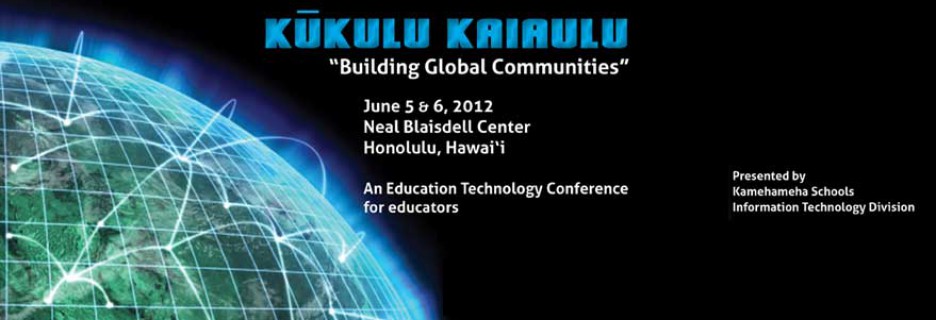
KS Ed Tech Conference 2012

Conference Graphic

When the KS Ed Tech Conference was offered again this year, I was looking forward to participate.  In prep for the conference, I downloaded the mobile Event Board App to select my sessions.  The oli and hula opening by our KS Middle school hālau  was beautiful,which was followed by two full days of keynote and sessions.  Overall, I enjoyed my experience.  It was nice having the opportunity to reconnect with others, network with new individuals and get inspired by what others are doing.  Here are selected highlighted sessions that I attended.  For additional conference conversations, tap into the Twitter hashtag #ksedtech.
  1.  Learning in a Networked World - Will Richardson
    • Introduced to a new back channel tool, http://todaysmeet.com/ksbe.  I tried creating a back channel immediately afterwards and it was very easy. :)
    • "How does giving multiple choice tests prepare students for a world with multiple networks?"
    • "How you teach and run classrooms with scarce content (before technology) is very different from classrooms with an abundance of content (now)?"
    • "What is our (educators) value in a world of abundance?" - Knewton (personalized learning system), Motuto (onine tutor), Slader (answers to math & science problems), FoldIt (solving puzzles for science)
    •  Seymore Sarason - "Productive learning is the learning process which engenders and reinforces wanting to learn more."
    • "If we don't find ways to measure what we value, we will value what we measure" - Do we assess creativity, social learning, etc.?
    • "Learning is personal (not personalized)" - personalized is something we do to kids and personal is something kids choose.
  2. Mobile Devices and Digital Content: The Impact on Learning and Student Achievement - Dan McCormack
    • Hands-on showcase of various apps for educational use...
    • Cell and Cell Structure (science interactive app focused on cells), Brain Pro (learn about the brain), Tree Hut (loved this one...word pronounciation, ability to record, paint, etc.), Motion Math (learning fractions through movement of the iPad), Flow Math, Nine Gaps (learning the multiplication table)
    • There are so many unlimited possibilities with the variety of apps that are available now for downloading.  
    • I downloaded the Tree Hut app and had my 3-year old test it out.  She enjoyed it and was engaged for 15-20 minutes.
  3. The End of Wonder in the Age of Whatever - Dr. Michael Wesch
    • "Who are we?  What are we going to do?  Are we going to make it?"
    • "How can we inspire our students to be in a state of wonder?  From knowledgeable to wonder."
    • "If you leave burning questions with your students (spark passion), it will propel them where they want to go."
    • "We live in the world of the vicious cycle of the age of whatever.  This is what we make of it."
    • A Vision of Students Today - YouTube video,  http://www.youtube.com/watch?v=dGCJ46vyR9o
    • "Embrace vulnerability and allow students to fail."
    • How can we create space where students can embrace vulnerability to wonder learn?
  4. The 21st Century Learning Environment: A Case Study - Douglas Kiang
    • Course based on challenge-based learning,  https://www.challengebasedlearning.org/ with flipped model, lecture podcast, 1:1 iPads for a programming class that had students custom creating an app.  
    • He was ok with not being the expert in the course, truly shifting from teacher-centered learning to student-centered learning.  I wonder how many teachers would be comfortable with this type of learning.
    • "What would your course look like if it were a start up?" - would we educate differently?
    • Photo Booth app used to capture reflection points of where students were stuck...30 seconds.   
For this conference, I also co-presented with Nick for our presentation titled "Driving Online Learning from Concept to Process."  Our presentation didn't have too many attendees (12-15), but was attended by those interested in online learning and was well received.  Nick and I were approached by two Punahou teachers following our presentation for engaged conversations related to our presentation topic.  For our presentation, technology-wise, we decided to explore the new software, Articulate Storyline, which added to our prep time, but was a worthwhile experience providing me with the opportunity to play with new technologies.

So how will I apply what I learned to my work? I definetly had lots of ideas floating in my head throughout the conference.  I thoroughly enjoyed Michale Wesh's keynote and hope to be able to apply his concept of creating environments in blended and online learning that will encourage students to "wonder" while providing opportunities for them to embrace vulnerability and be able to fail to learn and succeed.  Easier said than done. ;)  Many of my colleagues were in attendance at the conference and our lunch discussions were enriched with ideas that would impact our online programs as well as projects I'm currently involved with (Tri-Campus blended and online learning).  I plan to continually champion transformation of education for 21st century learning with the many ideas that were shared at this conference. 

Tuesday, April 24, 2012

Sloan-C Blended Learning Conference 2012 Virtual Attendee Experience

This was my first time attending a Sloan-C Conference as a virtual attendee, so I was interested in how I would be able to interact with the online interface and participate synchronously online. I was pleasantly surprised that I was able to view live streamed sessions and participate seamlessly via Poll Everywhere polls from presenters as well as an in-room chat, Twitter and Facebook feeds. Overall, I enjoyed my online conference experience and appreciated the flexibility to participate right at my desktop.  I'm looking forward to my next online conference.

Session Take Aways:
  1. Blend Your Own Faculty Development Program Using Open Components from the Blended Learning Toolkit
    Speakers: Kevin Thompson & Linda Futch, Univ. of Central Florida
  2. Comparing Traditional and Blended Learning: Evidence From the ClassroomSpeakers: Geri Mason & Baine Craft, Seattle Pacific University
    • They captured both qualitative & quantitative data based upon Garrison & Vaughan's categories within their surveys.
    • Their Conclusion: Blended learning doesn't help (in regards to retention, but maybe facilitate more group cohesion), but it doesn't hurt (Univ. needs more classroom space, professor needs to take a sabbatical)
    • Confirmed that no new materials were developed for the blended course, which I personally viewed as a major item they should have addressed when transitioning to a blended environment and may have impacted their findings.
    • Noted that their course catalog didn't indicate "blended" as a designation and some students took that by surprise.
  3. K12 to Higher Education, Two Perspectives on Planning for the Digital Future
    Speakers: Kurt Kiefer, Stephen Sanders, Johannes Britz, Wisconsin Dept. of Ed & Univ. of Wisconsin
    • Planning process included focus groups and questionnaires. They mentioned investing in infrastructure and bandwidth as an important foundation.
    • Faculty development is key.
    • Digital content repository has also been a focus.
    • End goal is to save teachers time and money while providing a global education for students.
  4. Online and Blended Learning: Maximizing the Investment
    Speakers: Mary Niemiec & Laura Pederick, Univ. of Nebraska & Univ. of Wisconsin Milwaukee
    • Online programs are normally driven by a cost recovery model and income is used to fund resources (e.g. student support, instructional design, etc.)
    • Blended programs have less new $$. Therefore, there is a need to look at allocation of resources to support a blended model.
  5. Defining K-12 Blended Learning: The Roles of Leaders, Teachers, Students & Parents
    Speaker: Allison Powell, International Association of K-12 Online Learning
  6. Start Strong: Residential Support for New Students of Blended and Online Education
    Speaker: Joanne Dolan, Rasmussen College
    • Found many students apprehensive with online courses. Optional learning center/tutor program to support students with a goal of getting students off to a strong start (reduce anxiety).  
    • 30 minute session with experienced blended and online students; will start by asking students to log into their courses and assess their level and support needs.  Ensure students leave with something concrete and useful.
    • Improvements: brought advanced students (probed needs, e.g. APA formatting, reference pages) in and adapted program to focus on nursing students.  
  7. How to Successfully Evaluate Blended Learning
    Presenters: Chuk Dziuban & Patsy Moskal, University of Central Florida
  8. Designing an Inquiry-Based Approach to Blended Learning
    Presenter: Norm Vaughan, Mount Royal University, Canada


    • Dennis Littky, The 3R's of Engagement: 1) Relevance, 2) Rigour, 3) Relationships, http://bigpicture.org.
    • Mihaly Csikszentmihalyi, Optimal Flow: the mental state of operation in which the person is fully immersed in what he or she is doing by a feeling of energized focus, full involvement, and success in the process of the activity.
    • Daniel Pink, 1) Autonomy, 2) Mastery, 3) Purpose.
    • Dimensions of engagement: social engagement, academic engagement, intellectual engagement

Tuesday, December 6, 2011

Ideas for Teaching with QR Codes

After attending the E-Learn conference, my interest continues to peak on topics related to augemented reality and mobile learning. I saw this interesting QR code article today, http://www.edutopia.org/blog/QR-codes-teaching-andrew-miller.

It got me thinking on how I could share this with our team via a hands-on activity, so let's try it out. :)


  1. Read article link above.
  2. Visit http://goqr.me/ to create a QR code answering the following question, "What Christmas Means to Me."
  3. Print out your QR code to post in the conference room to share with others.
  4. Think about whether or not QR codes would be a useful tool to integrate into development of culture-based resources.

Here's my QR code for this activity. I look forward to your sharing!

Tuesday, October 18, 2011

E-Learn Conference 2011

This international conference only comes around every 3 years, so I was looking forward to lots of learning in person and via Twitter #elearnconf.
Day 1:
  • Keynote: Barbara Means on Blended Learning: Prospects for Transforming K-12 Schools...covered the meta-analysis data on online learning. Blended learning on average showed better results. Limitations of the study included a limited number of studies. Appeal for blended learning include: 1) potential cost savings, 2) personalization and 3) prep for higher ed. Interrelating blended learning doesn't quite fit into the traditional model easily (structure, scheduling, etc.) and has the potential to cause transformation with careful planning.
  • Effects of Virtual Human Body Simulation on course performance: Florida State Univ. conducted a research with two courses (one w/ out simluation & one with). Results indicated students were more engaged and performed better with simulation.

Day 2:
  • Keynote: Techno Troubadours and Teacherpreneurs by Amy Burvall & Herb Mahelona. The presentation included many video mash ups with the message of using music to engage and excite students for learning. Presentation link, http://tinyurl.com/musickeynote.
  • Opportunities for Moble App to Empower Informal Learning in Univ. Environments by Dr. Knezek (Univ. of North Texas). He pointed us to this Sim School Web site, funded by Melinda & Bill Gates Foundation, he was involved with showcasing a flight simulator for teachers, http://www.simschool.org/
  • Online Learning Communities for Teachers by Katrina Liu (Univ. of Wisconsin-Whitewater). Connect teachers using LMS, blog, Ning, Facebook & emails because they found it was difficult to stay contained only within 1 technology. Designing PBL for teachers to complete projects based upon their own student interests helped increase relevancy for teachers to stay connected to their course.
  • Twitter in the University Classroom with Todd Kisicki from Arizona State University, #kisAACE. Examples include: 1) Tweet article for students w/ hashtag to respond to, 2) Ask students a question to respond to, 3) integrating Twitter feed w/ Facebook (98% of college students on).
  • The APPS class for educators w/ Charles Miller from Univ. of Minnesota. Everyone gets an iPad funded by donations. :) The course was structured within 16 weeks w/ 3 projects: Thoughtful App Design Presentation, Concept App Design, Build Your App. Teachers design App in Keynote before programming during week 5. Students who finish early teach others. Student Apps that were shared included: Adventure Learning, Hotseat, Go Southeast MN. Interesting how students don't need a background in programming to successfully develop apps.

Day 4:
  • Keynote with Craig Kapp from New York University. Augmented reality is in the center of real world and virtual reality. E.g. Hallmark card with sound and pops out 3-D. How does it work? camera, load software and render in real time. How can you use it in education? Augmented reality textbooks w/ animations that pop out of the book.
    1. AR Sights - student need facility with Google Sketch Up...students build their models.
    2. Zoo Burst, http://www.zooburst.com/ - 3-D pop up book builder. Works with flat graphics (.jpg, .png, .gif) - applications for education include creating digital story books, travel photo books, collaborate w/ other teachers to create books to share globally.
    3. QR codes - great way to take a physical space and create hyperlinks to virtual environment.
    4. Junaio application, http://itunes.apple.com/us/app/junaio-augmented-reality-browser/id337415615?mt=8 - mobile tool that allows you to build augmented reality experience. Glue app...can take a photo (e.g. postcard) to put 3-D object on it. Location-based channel...can add on wayfinding.
    5. http://flash.tarotaro.org/, ARToolkit marker generator site to create markers for augmented reality.
    6. http://lite.textmarks.com/, free SMS alerts for groups in education, religious and non-profits.
    7. Livescribe Pen, http://www.livescribe.com/, can take notes and incorporate audio files into different areas of the "paper."

  • A 12 Step Program to Online Teaching Success with Lawrence Ragan from the Pennsylvania State University. It's important to set world class student experience - performance metrics, performance expectations, competencies for online teaching successes
    1. Driver's license - training and prepared for LMS, etc.
    2. Owner's manual - know the structure, flow and rhythm of the course and how it is diffferent from other teaching formats.
    3. Schedule - make sure to plan ahead.
    4. Manage it! - create a personal "teaching plan" that defines daily, weekly and monthly course teaching activity.
    5. Know your learners and their characteristics - keep connected
    6. Know what strategies you will use throughout the course to engage your learners (early and often)
    7. Develop a routine to establish and mantain your "teaching presence."
    8. Establish and communicate your teaching performance expectations.
    9. Establish and communicate your expectations of students' performance.
    10. Know how you will manage assessment strategies.
    11. Identify and USE your support resources (go to people and systems) when problems arise.
    12. Relax and enjoy this new teaching environment as a chance to grow!
Additional Thoughts:
  • Many presenters involved their colleagues in the presentation via Skype.
  • It's a research heavy conference, meaning some presentation may be hit or miss, but overall, if you select the sessions well, there will be some gems.
How Will I Apply What I Learned to My Work?
  • I already shared my experiences with our DL project charter, Initiative B project core team (10/20)
  • I will be sharing this blog with the rest of my team and during our next team meeting (10/26)
  • For this conference, I chose to be fairly active on Twitter to share my learnings and found it to be engaging by tweeting with the hash tag. It got me thinking on how Twitter could be incorporated into a "flipped classroom" model as well as teacher PD experiences.
  • I always feel refreshed when attending conferences with new ideas to incorporate into the work I do daily.
Twitter hash tag: #ELearnConf
My Twitter feed: http://twitter.com/dorothyhirata

Monday, September 12, 2011

Idaho Ed Board Votes to Require Online Classes

What a pleasant surprise it was for me when I read through my emails to find this article about the Idaho Ed Board voting to require two credits online to help students prepare for college while saving money. Idaho will be the first state to require two credits online, joining three other states that currently require one online course for graduation: Alabama, Florida & Michigan. I wonder when the State of HI Board of Ed will revisit the bill from 2010.

ASCD link to Idaho Statesman/Associate Press, http://www.idahostatesman.com/2011/09/09/1792606/idaho-ed-board-votes-to-require.html.

Monday, August 1, 2011

Missouri Outlaws Teacher-Student Facebook Friendship

This is the first time I've heard of legislature implementing particular restrictionns related to social media for teachers and students.

According to this Atlantic Wire article,a Senate bill 54 was passed by Governor Jay Nixon and states "Teachers cannot establish, maintain, or use a work-related website unless it is available to school administrators and the child's legal custodian, physical custodian, or legal guardian. Teachers also cannot have a nonwork-related website that allows exclusive access with a current or former student."

Additional details & link to the article, http://www.theatlanticwire.com/technology/2011/07/missouri-outlaws-teachers-and-students-being-facebook-friends/40626/.

Tuesday, July 26, 2011

Exploring Google+


I received a Google+ invitation from Brent and decided to spend some time exploring it. Google+ (Facebook's competitor) is currently open on an invitation basis, so if you'd like an invite, please let me know. Here are my thoughts after exploring for the first 2 days.

  1. Pretty simple interface to use.

  2. I like how it connects directly to my Picasa album and pulls in contacts directly from my Google mail account.

  3. The "circles" concept of providing relevant content (multiple privacy layers) depending on your personalized categories.

  4. The "sparks" and "hangout" features looked interesting, but I didn't have a chance to explore yet.
    Potential to become useful if it appeals to the masses like Facebook and LinkedIn, but it will probably take awhile since most people are currently using more popular social media sites.
I also read through some articles related to Google+ that I found useful.

  1. Google Plus and Education, http://learningedtech.wordpress.com/2011/07/01/google-plus-and-education/.

  2. Google Plus: The Good, The Bad, The Potential, >http://alisterpaine.info/2011/07/25/google-plus-the-good-the-bad-the-potential/

New to Mobile Learning Course Development Webinar

In my attempt to keep up with online learning trends, I attended a mobile learning Webinar to hear more about mobile learning development for instruction. I found this Webinar useful for my needs. Here are some of my take-aways.

  1. Mobile learning is "here" and growing nationally at 18%. Garin Hess advised that if we're thinking of diving in, don't wait too much longer. After yesterday's Bb World share out, it seems that mobile learning is definitely something we need to take a closer look at. I can't wait for Bb Mobile Learn to be installed onto our enterprise server.

  2. There are 3 big problems when diving into mobile learning development


    1. How do I create content? Ensure you have cross-platform support.

    2. How will learners access mobile content? Provide it through a native stand-alone app offline, native mobile learning management offline OR directly from a learning management system (LMS) which seems to be the main solution.

    3. How do I track learning results in the LMS? Track through sign-in or other hooks like assessments on the back-end.

  3. Flash is no longer a cross-platform for development. It's mainly a desk-top based solution. HTML 5 is the standard referenced for mobile development.
Moving forward, I hope to integrate what I have learned into my work as we begin our Enterprise Bb project.


Archived webinar link: http://www.rapidintake.com/new-to-mlearning/

Wednesday, June 15, 2011

June Professional Development: Bb Webinar Experience & iPad Webinar

This month, I participated in two professional development opportunities.
  1. Bb Webinar - Models of Blended Learning: What Works for Your District hosted by Blackboard (blackboard.com) & Educational Week (edweeek.org) was a great experience. Although I've presented at online conferences prior, this was the first time I was co-presenting online with Mimi, Johan Canuel (Bb), Pam (Volusia County) on a new on-demand system that I have not experienced before, ON24 Webcasting. Unlike Adobe Connect or Elluminate, presenters were not able to push out links or use arrows, pointers, etc. We mainly used the push to next slide button to progress the slide forward. Questions could be submitted and there was also a chat feature for presenters. Figures for attendance given to me were about 700+ registrations with appx. 200+ in attendance. Overall, it was a neat experience and I enjoyed presenting with Mimi, which allowed for a holistic KS view including campus & outreach programs in one presentation. :) To view the archive or access the PPT presentation, click on the link above.

  2. iPad 1:1 action by Michael Wells, Vallecito Union School District, Apple Education Webinar. I attended this Webinar because I was interested in learning more about how other districts were implementing iPads on a 1:1 basis. Here is a summary and highlights of the Webinar.
  • I liked how they focused on a consumer-inspired model to service their target learners: 1) students, 2) teachers, 3) parents and 4) global community (being transparent) realizing that implementation by teachers and involvement of parents was essential for success.
  • Their main goals that drove this initiative were to increase 21st century skills via 1) differentiation, 2) content enhancement and 3) presentation skills
  • They started by giving every teacher an iPad with no expectations but to play around with it and realized that technical support was non-existent because it was very easy to use.
  • Apps were one of the best things
  • Some favorite apps mentioned included: 1) GoodReader - multi-format display, PD annotation, Dropbox/WebDav, WiFi Transfer to cache Web sites while you're in the area addressing rural students Internet access at home challenge, 2) Air Sketch - 1 to many display allowing for iPad to turn into a whiteboard and see what the teacher is doing, 3) Sonic Pics - allows for digital story telling, class field trips and podcasting, 4) Sadun's Whiteboard - simple "show and tell" for math, quick response system
  • If you're like me and wanted to see more frequently used apps for instruction, here is the link that was provided, http://ipad.vusd.wikispaces.net/Apps